


Published: Nov 19, 2026
Which DAM Software Is Best for Marketing Teams? The Shortlist Compared
Table of contents
1. Air: best for marketing teams that need to scale approved creative without waiting on design
2. Brandfolder: best for brand distribution to partners and franchisees
3. Bynder: best for enterprise brands managing multi-region or multi-brand governance
4. Canto: best for mid-market teams that want a straightforward searchable library
5. Frontify: best for brand guidelines and brand portals
6. Adobe Experience Manager Assets: best for enterprises delivering assets through an Adobe stack
What to look for in DAM software for marketing teams
Best DAM software for marketing teams FAQs
The campaign goes live Monday. You need the approved hero image in four aspect ratios, and the only route is a Slack message to a designer already heads-down on next quarter's shoot. Drive has three versions of the file, and none says which was signed off.
Most DAM roundups rank tools on storage and metadata depth, but the best DAM software for marketing teams is the one marketers can use without asking designers. This guide judges each tool on the jobs you do weekly: finding the approved version without asking a designer, getting work reviewed and signed off, adapting it for each channel, and sending it out to agencies, partners, and sales.
This comparison draws on vendor pages and published customer stories. Enterprise DAM pricing is often quote-only, so confirm terms with each vendor.
Tool | Search and discovery | Approvals | Channel adaptation | External sharing |
Air | Plain-English search, Smart Tags, OCR, facial recognition | Pinned comments, multi-stage approvals, version stacking | Social Variants, batch edits, Skills in Air Canvas | Showcases, secure share links, content collection forms |
Brandfolder | AI tagging and search | Lighter; often paired with a proofing tool | Mostly outside the platform | Brand portals, collections, usage analytics |
Bynder | Deep metadata and taxonomy | Multi-step approval workflows | Templates via add-on modules | Brand portals |
Canto | AI tagging, facial recognition, keyword search | Approval Hub (Brand Suite package) | No in-platform editing | Portals and collections |
Frontify | Asset library search | Brand-focused review | Design templates | Brand portals |
AEM Assets | Smart tagging | Enterprise workflow controls | Dynamic media rendering | Dynamic media delivery |
1. Air: best for marketing teams that need to scale approved creative without waiting on design
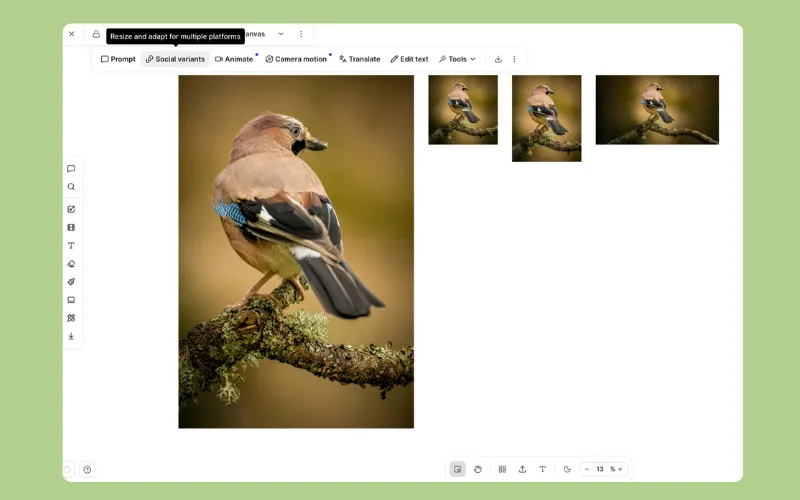 Air is an agent for creative tasks built on a visual asset library. A basic DAM stores what you made, while Air remembers why you made it, holds what's approved, and helps you scale it everywhere. It fits in-house creative and marketing teams that have outgrown tools like Google Drive or Dropbox.
Standout features:
Plain-English and visual search, backed by Smart Tags, OCR, and facial recognition
An agent that tags and renames assets at scale from a single plain-language instruction
Version stacking that keeps the current approved file on top, with working files and finals in one workspace
Comments pinned to images and video time ranges, plus multi-stage approvals tracked in Kanban views
Air Canvas, which turns one approved design into hundreds of on-brand deliverables; Social Variants formats an image for Instagram, Facebook, TikTok, Snap, YouTube, or your own custom sizes, on every plan
Skills that save any edit as a reusable workflow anyone on the team can run
Showcases for sending work to agencies, partners, and sales, and content collection forms for bringing files in without an Air account
Figma and Canva integrations for pulling approved assets straight into design work
Strengths:
Faster search: At Candid, search cut the time the Lead Brand Designer spent finding assets for other people from up to 20% of her week to around 2%.
No per-seat pricing: Business and Enterprise plans include unlimited users, so agencies, partners, and sales get access without per-seat math.
Limitations:
Air isn't campaign planning or budgeting software, so it works alongside Asana or Monday rather than replacing them.
Slack, Zapier, n8n, the API, and the MCP server are on Business and Enterprise, while Shopify, Sanity, WordPress, and ad performance analytics are Enterprise only.
AI actions also draw from a monthly credit balance that doesn't roll over.
Pricing: Free (up to 3 users) and Starter (up to 5) suit small teams, while Business and Enterprise include unlimited users. Plans vary by storage and monthly AI credits, and every plan gets the same 50+ AI models. See Air’s pricing page for current details.
Best for: Mid-market teams where marketing pulls assets daily and creative is the bottleneck, including teams leaving Drive, Dropbox, Brandfolder, Canto, or Bynder because assets got hard to find.
G2 rating: 4.6 out of 5
2. Brandfolder: best for brand distribution to partners and franchisees
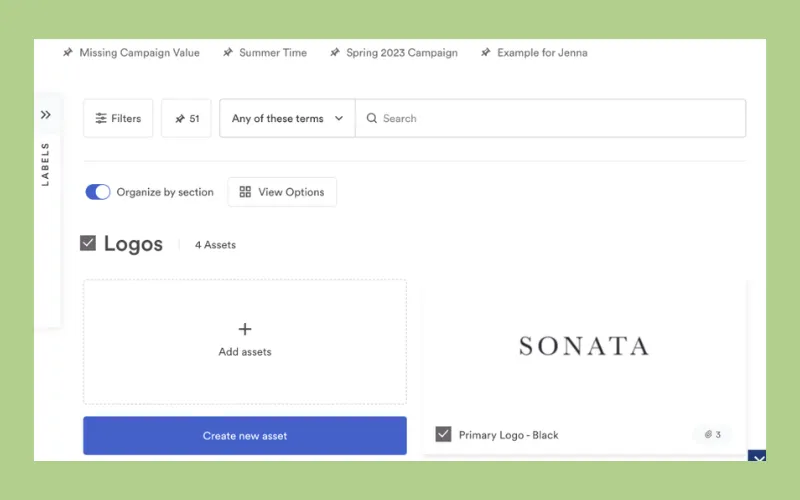 Image source: Brandfolder
Brandfolder is a brand asset management platform built around portals and controlled distribution to external audiences. Like Canto and Bynder, it's built for a different buyer than a lean team running creative and marketing in one workflow.
Standout features:
Brand portals and curated collections for partners, resellers, and regional teams
AI tagging and search
Share links with expiry controls
Usage analytics showing which assets get downloaded
Strengths: A clean interface that non-technical stakeholders can adopt quickly, plus asset-level analytics to report on.
Limitations: Brandfolder sits closer to distributing finished assets than to managing work in progress, so teams often route review and feedback through a separate tool. Channel adaptation also mostly means going back to design.
Pricing: Premium and Enterprise tiers, both quote-only. See Brandfolder’s pricing page for details.
Best for: Brand and franchise organizations whose main job is getting locked-down approved assets to a wide external network.
G2 rating: 4.4 out of 5
3. Bynder: best for enterprise brands managing multi-region or multi-brand governance
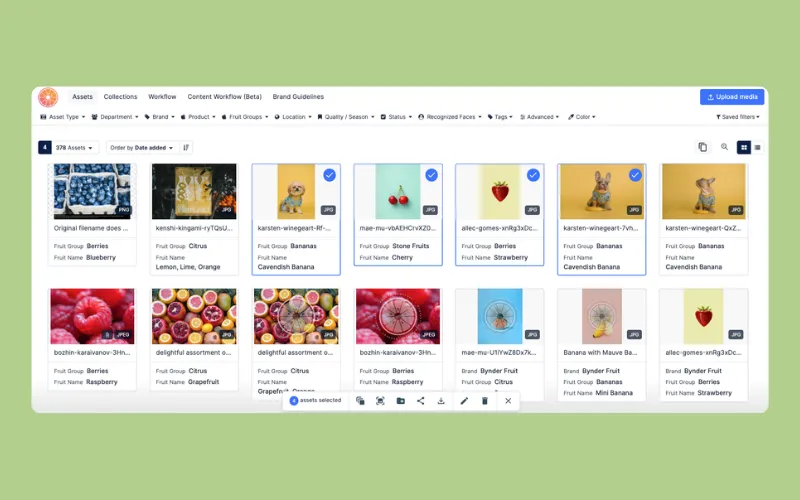 Image source: Bynder
Bynder is an enterprise DAM for global marketing organizations with many brands, regions, and languages, which means it suits a different organization than a lean mid-market marketing team.
Standout features:
A DAM core with add-on modules for creative workflow, brand guidelines, and templates
Taxonomy, permissions, and metadata built for large libraries across business units
Multi-step approval workflows
Brand portals for distribution at scale
Strengths: Governance and template-driven consistency across regions, with modular add-ons that let large organizations tailor the deployment.
Limitations: Cost and implementation effort grow with each module, and onboarding typically runs around three months. Advanced features also seem to carry a steep learning curve, which can overwhelm smaller teams.
Pricing: Custom quotes based on users, storage, and modules. See Bynder’s pricing page for details.
Best for: Global enterprises with dedicated DAM admins, multi-brand portfolios, and formal localization requirements.
G2 rating: 4.5 out of 5
4. Canto: best for mid-market teams that want a straightforward searchable library
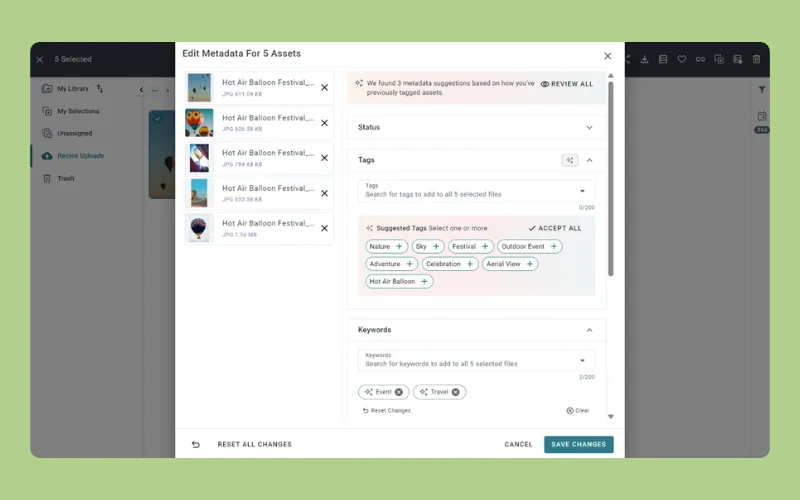 Image source: Canto
Canto is a long-standing mid-market DAM focused on organizing, tagging, and sharing a central library, and a common first DAM for teams leaving shared drives.
Standout features:
AI tagging, facial recognition, and keyword search
Portals and collections for sharing curated sets externally
Adobe and Microsoft integrations
An Approval Hub for review workflows, in the DAM Brand Suite package
Strengths: Simpler to stand up than heavier enterprise DAMs, and reliable as a library of record for large archives.
Limitations: There's no in-platform editing, so every channel variant goes back to design. Reviewers on G2 also describe the interface as dated in places, and taxonomy setup takes upfront effort.
Pricing: Three quote-only packages (Essentials, Plus, and Pro), with an additional two packages available on top of the Pro plan. See Canto’s pricing page for details.
Best for: Marketing teams whose main need is a searchable, shareable library rather than connected review and adaptation.
G2 rating: 4.4 out of 5
5. Frontify: best for brand guidelines and brand portals
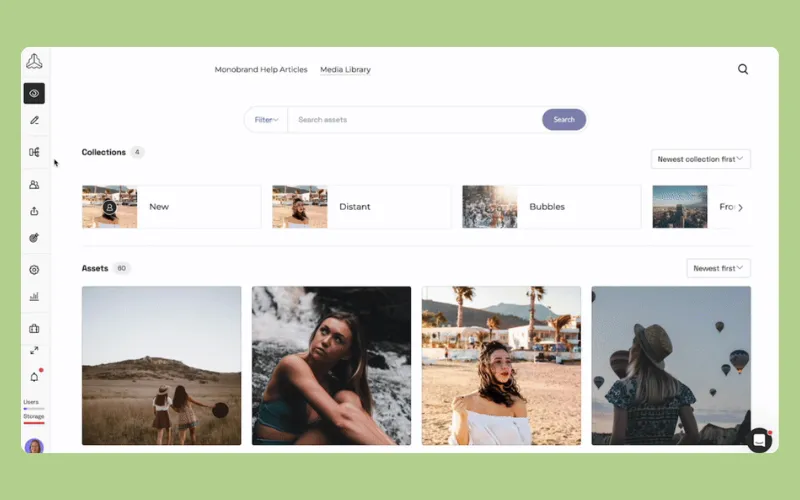 Image source: Frontify
Frontify is a brand management platform where the guideline system is the product and asset management is one component of it, and that positioning should help you decide whether it replaces your library or sits next to it.
Standout features:
Living brand guidelines that pair usage rules with the assets they govern
Brand portals for internal and external audiences
Design templates for on-brand collateral
Strengths: Brand rules stay visible at the point of use, which cuts off-brand output from non-designers. It also works well as a public brand hub for partners and agencies.
Limitations: Support for high-volume production, video-heavy review, and post-approval channel adaptation is lighter, so teams often run Frontify alongside a DAM.
Pricing: Quote-only, based on monthly active users. External collaborators count toward that total, so costs climb as access widens. See Frontify’s pricing page for details.
Best for: Brand teams whose top priority is guideline enforcement across a wide internal and external audience.
G2 rating: 4.5 out of 5
6. Adobe Experience Manager Assets: best for enterprises delivering assets through an Adobe stack
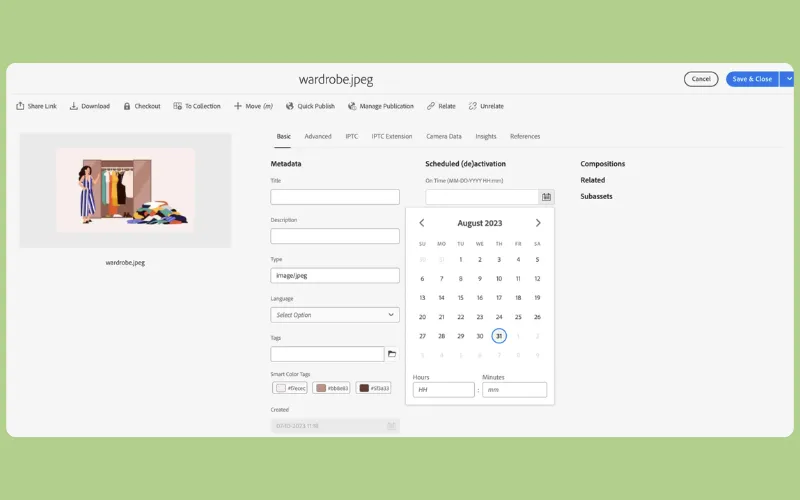 Image source: Adobe
AEM Assets sits at the enterprise end of the market. It's built for organizations publishing assets at scale into websites, commerce, and personalization through Adobe Experience Cloud.
Standout features:
Native Creative Cloud integration
Smart tagging and Firefly-powered automation
Dynamic media rendering and delivery
Enterprise governance and version control
Strengths: On Adobe Experience Cloud, asset delivery and web personalization share one system.
Limitations: Cost, implementation time, and technical resourcing are significant, and day-to-day usability for non-technical marketers is a common complaint.
Pricing: Quote-based Prime and Ultimate tiers. See Adobe’s pricing page for details.
Best for: Large enterprises with in-house technical teams and an existing Experience Cloud commitment.
G2 rating: 4.2 out of 5
What to look for in DAM software for marketing teams
Use one question as your standard: can a marketer find the latest approved asset in under a minute? Then check each tool against what marketers actually do with assets:
Search that reads content, not file names. AI tagging, OCR, and facial recognition mean you find what you remember seeing, not what someone typed.
Obvious version clarity. If the current approved file isn't on top, someone will eventually export from a stale one.
Feedback and approvals on the asset. Comments in Slack and email get lost; comments pinned to the file don't.
Channel adaptation inside the system. Every resize that goes back to design adds a day.
Controlled sharing out, and collection in. Agencies, partners, and sales need curated access, and freelancers need a clean way to deliver.
Integrations with Figma, Canva, Adobe, Slack, and your CMS or commerce platform.
Permissions that separate work in progress from approved.
Add one criterion most checklists skip: can a non-technical marketer use the tool unassisted on day one?
Then, test the platform from a forward-thinking perspective. AI that generates from a blank prompt isn't the same as a system that understands your approved library, for example, so give each tool an instruction against your own assets. The best DAM solutions differ most in how much of that work they take off your plate.
If you need approved work to be findable, reviewable, adaptable, and shareable in one place, Air helps your team stop remaking what already exists and start building on what works.
See how Air can help your team understand, organize, and scale creative with a personalized product walkthrough.
Best DAM software for marketing teams FAQs
Which DAM software is best for marketing teams?
For mid-market teams where marketers need to find, adapt, and share approved assets without waiting on design, Air is the strongest fit. Bynder and AEM Assets suit global enterprises with dedicated admins.
What should a marketing team look for in a DAM?
Look for content-aware search, clear version control, approvals attached to the asset, in-platform channel adaptation, and controlled external sharing. Then check that a non-technical marketer can use it on day one.
Does a marketing team need a DAM if it already has Google Drive or Dropbox?
Once you're spending more time finding and confirming the right version than shipping campaigns, yes. Drive and Dropbox store files, but they can't tell you what's inside them or which version is approved, which is where digital asset management takes over.
How long does it take to implement DAM software for a marketing team?
Enterprise DAMs like Bynder often take around three months to onboard. In Air, Cloud Imports bring files in from Drive, Dropbox, Box, and SharePoint, so teams start from one library quickly.
Can marketers resize and adapt approved assets inside Air without a designer?
Yes. In Air Canvas, Social Variants creates platform-specific formats from one approved image, and batch edits and Skills apply the same change across many assets.
Can agencies and external partners access assets without paying for seats?
In Air, Business and Enterprise include unlimited users, and on any plan, Showcases and share links let partners view and download without a seat. Content collection forms let them upload without an account, which is a big part of what makes marketing asset management software work across teams.