


Published: Nov 02, 2026
Best Affordable Digital Asset Management Software (2026): Value Picks Compared

Table of contents
1. Air: Best for growing creative teams that need AI-powered DAM without per-seat pricing
2. Stockpress: Best for teams that want a genuinely free starting point
3. Dash: Best for small brands with predictable storage and download volumes
4. Filecamp: Best for simple brand portals on a fixed budget
5. Pics.io: Best for teams already standardized on Google Drive or S3
6. ResourceSpace: Best for technical teams willing to self-host
What to look for in your affordable DAM software
Affordable DAM software FAQs
A lean creative team picks the DAM with the lowest monthly number. Six months later, the agency needs access for a launch, two freelancers join the holiday shoot, and a sales lead wants approved product shots, and each of them needs a seat. The bill that looked manageable in the demo now climbs every time the team grows.
That's the trap with affordable digital asset management software: a cheap digital asset management tool often ends up costing the most once more people, assets, and campaigns enter the picture.
This guide compares six picks covering: how pricing scales, what's capped, whether AI is included, and what setup looks like, then finishes off with a quick-reference checklist to help you evaluate.
For features beyond cost, see our roundups of the best DAM solutions and the best cloud DAM software. For quote-based platforms like Canto, Bynder, and Adobe Experience Manager Assets, see our guide to the best enterprise DAM software.
Note: Pricing models were checked against each vendor's pricing page in October 2026, so confirm current numbers before you buy.
Tool | Pricing model | What's capped | AI included | Free plan or trial |
Air | Flat plans; unlimited users on Business and Enterprise; monthly AI credits | Users on Free (3) and Starter (5); storage and monthly AI credits on every plan | Included; same 50+ models on every plan | Free plan, no time limit or card |
Stockpress | Flat tiers by storage, unlimited users | Storage | Included; AI tagging on Free, more on higher tiers | Forever free plan, no card |
Dash | Tiers by storage plus monthly downloads, unlimited users | Storage and monthly downloads | Included on every plan | 14-day trial, no free plan |
Filecamp | Three flat tiers by storage and features, unlimited users | Storage, with add-ons available | Auto-tagging on the two higher plans | 30-day trial, no free plan |
Pics.io | Tiers with set users; extra users charged | Users, storage, and sharing allowances | Paid add-on, priced by usage | 7-day trial, extendable on request |
ResourceSpace | Free to self-host; hosted tiers by users and storage | Users on all hosted tiers but the top one, plus storage | Included in paid hosted packages | Free open-source software |
1. Air: Best for growing creative teams that need AI-powered DAM without per-seat pricing
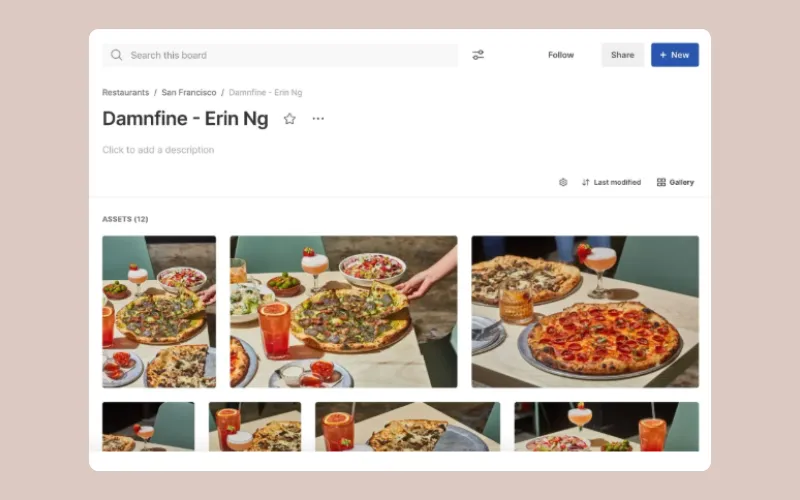 Air is an agent for creative tasks that goes beyond a traditional DAM. It gives teams a visual, searchable library where assets, versions, feedback, and approvals live together, plus an agent that acts on that library, from tagging at scale to turning one approved asset into every size a campaign needs.
Standout features
Conversational Search: AI tagging, OCR, and transcription in 100+ languages make assets searchable by what's in them, so a marketer can type "surfer photo at sunset" and find a shot nobody named properly.
Version Stacking and approvals: New versions stack on the original so the approved file is always obvious. Pinned comments, timestamped video notes, and multi-stage approvals keep feedback on the file instead of in a separate proofing tool.
Sharing and Showcases: On Business and Enterprise, share links also support passwords, expiration dates, and email-gating. Showcases, available on every plan, package boards and assets into one public page for clients and partners.
Air Canvas: A context-powered AI design and editing surface that turns one approved design into hundreds of on-brand deliverables, using brand kits from Context (available on every plan).
Strengths
Unlimited users on Business and Enterprise: Agencies, freelancers, executives, and sales can join without the bill moving, unlike per-user pricing such as Pics.io's. Free (up to 3 users) and Starter (up to 5) suit smaller core teams.
Tool consolidation: Storage, approvals, file transfer, and editing in one workspace replace a stitched stack of Dropbox, Frame.io, WeTransfer, and a separate DAM.
Limitations
Credit-based model: Credits are one monthly balance covering AI image edits, video creation, and generation, and the balance resets each month. Storage is a separate allowance set by plan. Can be a pro or a con depending on your needs.
Plan-gated features: The public API and MCP server are on Business, while SSO, custom roles, and access-controlled libraries are on Enterprise.
Scope: Air works alongside project management tools like Asana and Monday rather than replacing them.
Pricing
Air has four plans (Free, Starter, Business, and Enterprise), all with the same AI models. Free includes up to 3 users and Starter up to 5, while Business and Enterprise include unlimited users, so on those plans cost grows with your library and creative output, not headcount. Setup is self-serve, with native imports from Google Drive, Dropbox, Box, and SharePoint, and paid plans can be billed monthly or annually. See the full breakdown at air.inc/pricing.
Best for
Brands, retailers, media companies, and nonprofits that have outgrown Google Drive or Dropbox and need DAM-level search, versioning, and approvals without paying per collaborator on Business or Enterprise
Brands that work constantly with agencies, freelancers, and retail partners who need access to approved assets
Before Air, Pattern's Daniel Batten spent at least 12 to 15 hours a week in Dropbox locating assets for people:
"It required so much ongoing maintenance, and now I'm probably in Air 1 or 2 hours a week, max.”
G2 rating: 4.6/5
2. Stockpress: Best for teams that want a genuinely free starting point
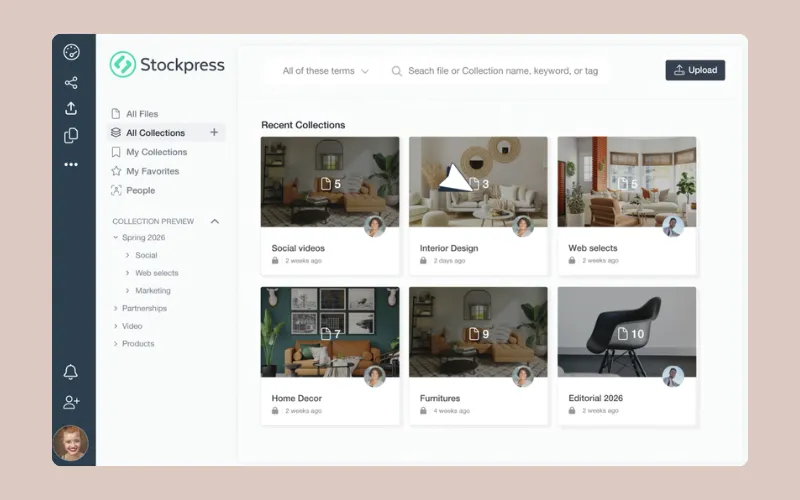 Image source: Stockpress
Stockpress is a lightweight file and asset management tool aimed at small teams that want structure without a DAM-sized commitment. Its pitch is simple: transparent tiers, unlimited users, and a free plan you can stay on.
Standout features
Centralized library with metadata and filtering: Collections, tag categories, custom fields, and dynamic filters give a small team basic organization quickly.
Search and tagging: Search runs on keywords, tags, descriptions, and metadata, with AI tagging filling in tags automatically.
Sharing and access controls: Share links with view tracking come on every plan, while passwords, expiration dates, view-only access, and branded share links start on the Pro tier.
Strengths
A forever free plan: It lowers the barrier for teams testing whether a DAM is worth paying for at all.
Unlimited users on every plan: Growing the collaborator list doesn't change the price.
Short setup time: Imports from Dropbox, Box, and Google Drive, plus self-serve configuration, keep setup light compared with traditional DAM implementations.
Limitations
Lighter on creative workflow: File statuses and annotations are on paid tiers, but there's less depth for multi-stage approvals with owners and due dates than you'd find in creative-first platforms.
Search is metadata-led: Results depend on tags and fields rather than plain-language descriptions of what's in a shot, which matters more as a library passes tens of thousands of assets.
Pricing
Stockpress offers a forever free plan with limited storage, then paid tiers with unlimited users that step up by storage and features. Annual billing is discounted, and there's a separate nonprofit program. Setup is self-serve, onboarding support sits on the top tier, and Stockpress offers free migration from other DAMs.
Best for
Small teams moving off shared drives for the first time who want free, unlimited-user file organization before investing in a creative platform
G2 rating: 4.8/5
3. Dash: Best for small brands with predictable storage and download volumes
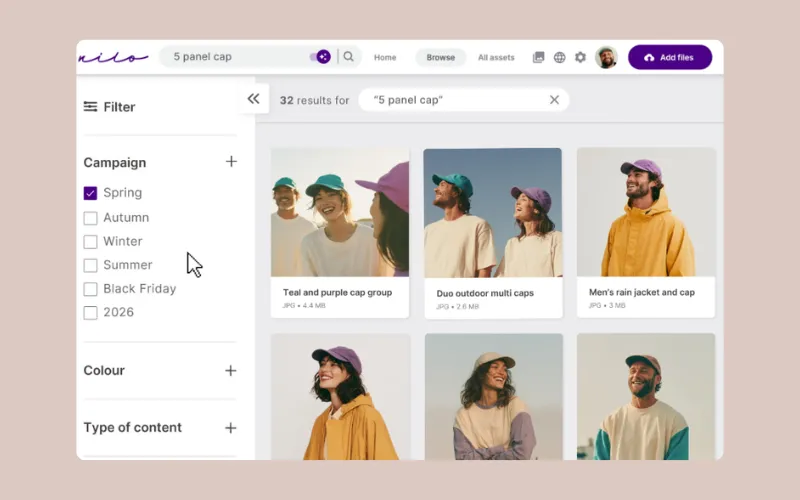 Image source: Dash
Dash is a DAM built for small and growing brands and ecommerce teams. Instead of charging per user, it prices on two things: how much you store and how many assets you pull out each month.
Standout features
Centralized library with tagging and filtering: Custom fields for SKU and campaign, AI search, folders, collections, and saved searches keep product and campaign assets findable.
Share links and branded portals: Teams can send collections to retailers, press, and partners, or give them a self-serve portal.
Ecommerce and publishing integrations: Shopify, WordPress and WooCommerce, Canva, and Hootsuite integrations push assets into the channels where they're used.
Strengths
Unlimited users on every plan: Stakeholder access isn't rationed, so freelancers and agencies can join at no extra cost.
Predictable pricing for steady output: If your storage and download volumes are stable, the bill is easy to forecast.
Clear positioning for small brands: Dash is built for growing brands rather than enterprise buyers, which keeps setup and admin light.
Limitations
Download-based pricing can swing: Every asset pulled out of Dash counts, including through integrations. Teams with seasonal spikes or heavy partner distribution may see their allowance raised automatically if they go over in consecutive months.
No free plan: Evaluation happens on a 14-day clock, which is tight for migrating and testing a live campaign.
Pricing
Dash publishes four tiers priced on storage and monthly downloads, all with unlimited users and every feature. There's a 14-day trial, no free plan, a discount for annual billing, and a nonprofit discount. There's no implementation fee, contracts run on 30 days' notice, and tailored onboarding calls start on the second tier.
Best for
Small ecommerce and consumer brands with steady, forecastable asset distribution who want unlimited stakeholder access
G2 rating: 4.6/5
4. Filecamp: Best for simple brand portals on a fixed budget
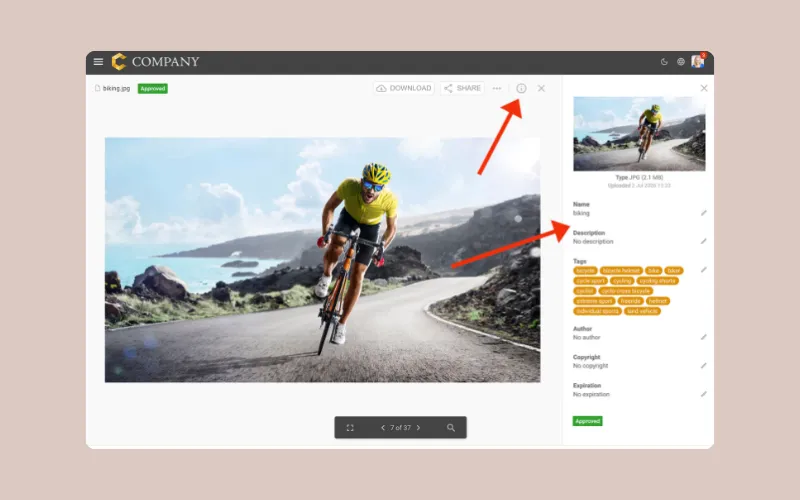 Image source: Filecamp
Filecamp is a straightforward, browser-based DAM focused on organized brand libraries and external sharing. Its three plans are easy to compare, and none of them charge per user.
Standout features
Customizable, branded library: Custom branding, themes, pages, and (on the top plan) a custom domain and white label make the library feel like part of the company site for partners and franchisees.
Folder and permission structures: Access control, labels, and request-files links give admins granular control over who sees what.
Commenting and approvals: Proofing and approval tools are available, but only on the top plan.
Strengths
Unlimited users across all three plans: Distributed access stays affordable even with a long partner list.
Low setup burden: A familiar folder-based structure is easy for non-technical teams to adopt.
Branding options: The library can carry your identity, which suits partner-facing portals.
Limitations
Approvals are gated to the top plan: If review workflows matter, budget for the highest tier.
Folder-first organization: Folders and keywords work well at modest scale, but large, fast-growing visual libraries are harder to navigate without deeper AI search.
Pricing
Filecamp offers three plans with unlimited users on all of them, with commenting and approvals on the top one. Every account starts with a 30-day trial, and extra storage can be added to any plan. There are no setup costs or long-term contracts, and billing is monthly with an annual invoice option.
Best for
Franchises, associations, and multi-location brands that mainly need a branded, permissioned portal for distributing approved assets
G2 rating: 4.7/5
5. Pics.io: Best for teams already standardized on Google Drive or S3
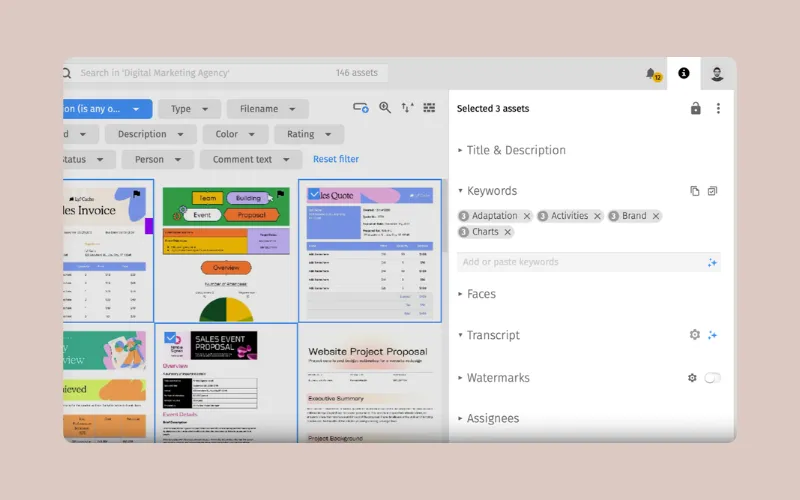 Image source: Pics.io
Pics.io is a DAM layer that sits on top of existing cloud storage. It adds metadata, search, and workflow to files that live in Google Drive or Amazon S3, or it can host files in its own storage.
Standout features
Storage-agnostic setup: Run on Google Drive, Amazon S3, or Pics.io's own storage, which avoids a migration project (bring-your-own storage starts on the Micro plan).
Custom metadata, keywords, and advanced search: Custom fields and metadata controls suit teams that want a structured library.
Version history and commenting: Version control, timestamped comments, and revision tracking support in-flight creative.
Strengths
No migration required: Teams committed to Google Drive or S3 can add DAM structure without moving files.
Strong metadata and taxonomy controls: Good fit for teams that want strict structure.
Transparent published pricing: Plans, extra-user costs, and AI add-on tiers are all listed on the pricing page.
Limitations
Per-user costs climb with access: Each plan includes a set number of users and charges for extra ones, so adding agencies, freelancers, and stakeholders pushes the bill up. External viewers of shared websites aren't charged.
AI is priced separately: Auto-tagging and visual search sit in an add-on, which changes the real monthly number.
Storage can sit outside the DAM bill: If you bring your own storage, you're still paying for Drive or S3 separately.
Pricing
Pics.io publishes tiered plans with set user counts, per-extra-user charges, and a separately priced AI add-on that scales with usage. There's a 7-day trial and an annual billing discount. Lower plans are self-serve, higher tiers start with a demo, and product training is included from the second plan up.
Best for
Small teams with a fixed, mostly internal user list who want DAM structure layered onto storage they already pay for
G2 rating: 4.6/5
6. ResourceSpace: Best for technical teams willing to self-host
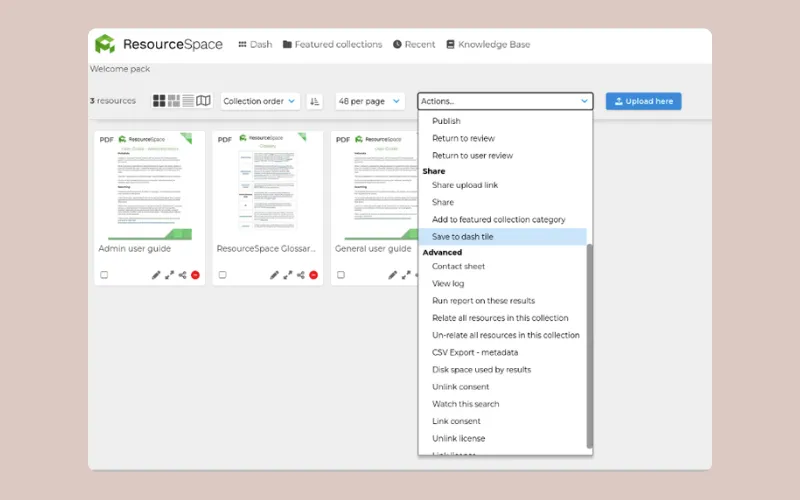 Image source: ResourceSpace
ResourceSpace is free, open-source DAM software. You can download and self-host it with no license fee, or pay for a hosted package that includes hosting, support, upgrades, and onboarding.
Standout features
Open-source, configurable codebase: Configurable metadata schemas and workflows suit teams with specific requirements.
Collections, permissions, and resource types: Structured library governance for teams that need tight control.
Plugins and API access: A plugin ecosystem and RESTful API support custom integrations.
Strengths
No license cost for self-hosting: The lowest possible software spend on this list.
High configurability: Good for organizations with unusual taxonomy or compliance needs.
Full data control: Teams that must keep assets on their own infrastructure can.
Limitations
"Free" shifts cost to internal time: Self-hosting makes hosting, updates, security, and support your team's job. It's the clearest example on this list of a low sticker price with a high total cost of ownership.
Hosted packages reintroduce seat limits: Every hosted tier except the top one caps users.
Built for configurability first: Test the day-to-day experience with the designers and marketers who'll use it, since adoption depends on them.
Pricing
The software itself is free to download. Hosted packages bundle hosting, support, and AI tools, with user caps below the top tier and storage bolt-ons available. Hosted packages have no setup fees, include a dedicated DAM consultant for onboarding and admin training, and are billed annually by default.
Best for
Universities, museums, and public-sector teams with in-house technical resource and strict data-residency requirements
G2 rating: 4.6/5
What to look for in your affordable DAM software
The cheapest plan and the cheapest system are rarely the same thing. Low cost digital asset management should stay low cost as the team grows, so this checklist tests each option against how cost, access, and admin effort behave as the library and the collaborator list grow.
Check the pricing structure: Find out whether cost scales with people or with usage. Model the bill with your agency, freelancers, and executive reviewers included, not just the core team.
Identify what's capped: Limits can sit on storage, downloads, or users. Pick the one you can actually forecast.
Confirm AI status: Check whether search, tagging, and editing are included or sold as an add-on, and whether lower tiers get a weaker version.
Compare the evaluation path: A real free plan, or a trial long enough to migrate a live campaign, tells you more than a sales demo.
Account for hidden costs: Add implementation fees, training time, migration effort, admin hours, and any proofing or file transfer tools you'd still need alongside the DAM.
Test search quality: Ask a marketer to find an asset without knowing its filename or who made it.
Confirm version clarity: Check that the current approved file is obvious to someone outside the creative team, and that working files don't get mixed up with finals.
Check external sharing: Partner and client access should be permissioned, brandable, and free of seat charges.
If you're still deciding whether you need a DAM at all, our breakdown of digital asset management vs. cloud storage covers where Drive and Dropbox stop working for creative teams.
Start on Air's free plan today to build a system that lets your team stop remaking what already exists and start building on what works.
Affordable DAM software FAQs
What is the best affordable DAM software?
It depends on how your team grows. Air is the strongest pick for creative and marketing teams that need AI search, versioning, and approvals, with unlimited users from the Business plan up, while Stockpress suits small teams that want a free start and ResourceSpace suits technical teams willing to self-host.
Is there a free DAM for teams?
Yes. Air has a Free plan for up to 3 users with no time limit and no credit card, Stockpress has a forever free plan with unlimited users, and ResourceSpace is free open-source software if you host it yourself.
Why do some DAM vendors charge per user?
Per-user pricing ties revenue to adoption, which is simple for the vendor but expensive for teams that work with agencies, freelancers, and partners. Unlimited-user models price on storage, downloads, or usage instead, so access isn't rationed.
How much should a small team expect to spend on DAM software?
It ranges from free plans to custom enterprise quotes. Rather than comparing entry prices, model the total cost with everyone who needs access, the storage you'll need in a year, and any AI or approval features sold separately. Our guide to DAM ROI covers how to turn that into a business case.
What's the difference between affordable DAM software and cloud storage like Google Drive?
Cloud storage holds files, while a DAM makes them findable, versioned, and shareable with control. A good DAM adds search by what's in an asset, metadata, version history, and approvals that Drive and Dropbox don't provide.
Does Air charge per user?
No. Air doesn't charge per seat. Free includes up to 3 users and Starter up to 5, while Business and Enterprise include unlimited users, so on those plans agencies, freelancers, and stakeholders can join without the price changing. Each plan also comes with a set amount of storage and a monthly balance of AI credits for image edits and video creation. Credits reset each month, and you can add more on Starter and above.
When has a team outgrown Google Drive or Dropbox for creative assets?
Usually when people regularly can't find files without asking someone, or when "final_v3" naming starts causing real errors. If marketing pings designers for assets several times a day, you've already outgrown it.